Administration
Contact us
Through the Administrative Office email Directory
or
Departmental Mailing Address:
Department of Biology,
Biological & Geological Sciences Building,
Western University,
London, Ontario, Canada N6A 5B7
Departmental Phone:
519-850-2542
Departmental Fax:
519-661-3935
Finance and Forms

Purchasing
Procurement Services Website - http://uwo.ca/finance/procurement/index.html
- Faculty of Science Digital Imaging Pre Authorization Form
- ChemBioStores - Request Form - Please print the form, complete the information and then deposit it in the special grey box just inside the door of ChB 003
- Asset Disposal Form and process
Mustang Market Access
Are you trying to apply for Mustang Market (MM) access for yourself or a student? If so, follow the steps below:
- Complete the Procurement Basics Online Learning Modules.
- Prepare your speedcode
- Send the request form and speedcode to to Debb Faulkner (dfaulkn@uwo.ca) in the Biology Main Office.
- Biology shoppers, please note that there is a limit of $1000 on requests.
Also, please copy your supervisor on the request. DO NOT send the request to the Science Dean's office. The Dean's Office will not approve forms without our confirmation.
Please note: Western Central no longer accepts pdf versions of MM access forms. All request must come through the PeopleSoft Forms.
Obtaining the Mustang Market Access and Authorization forms
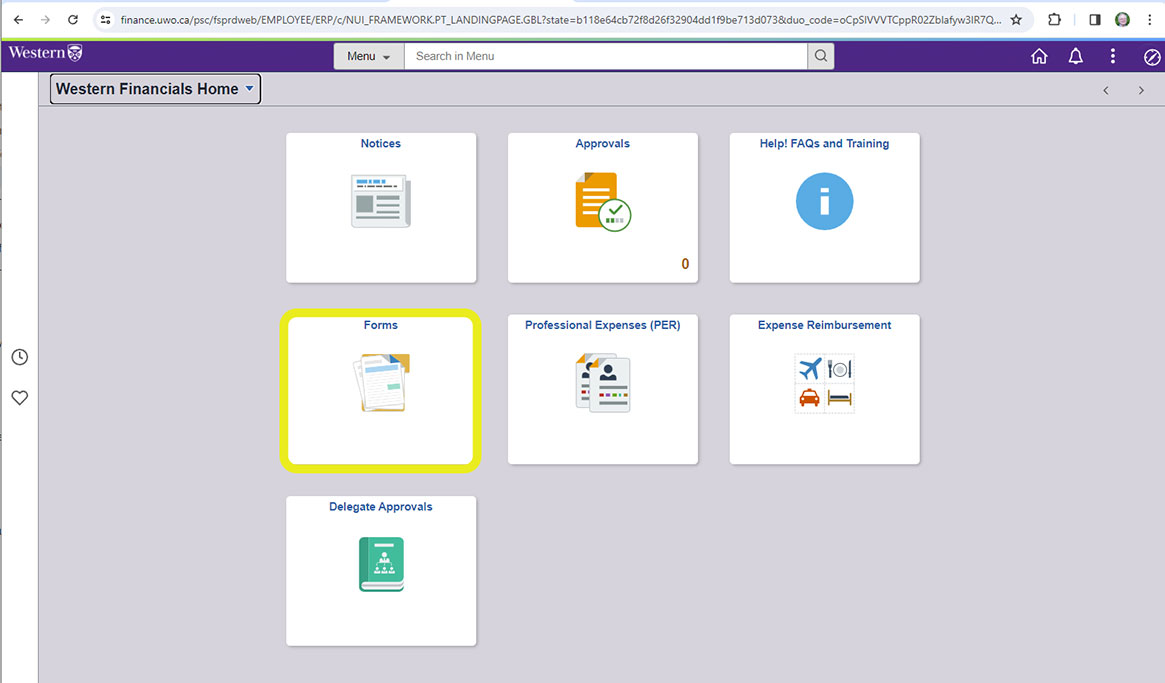
Log on to Western Financials & Grants Online Form Navigation: https://finance.uwo.ca.
Once there click on the "Forms" icon:
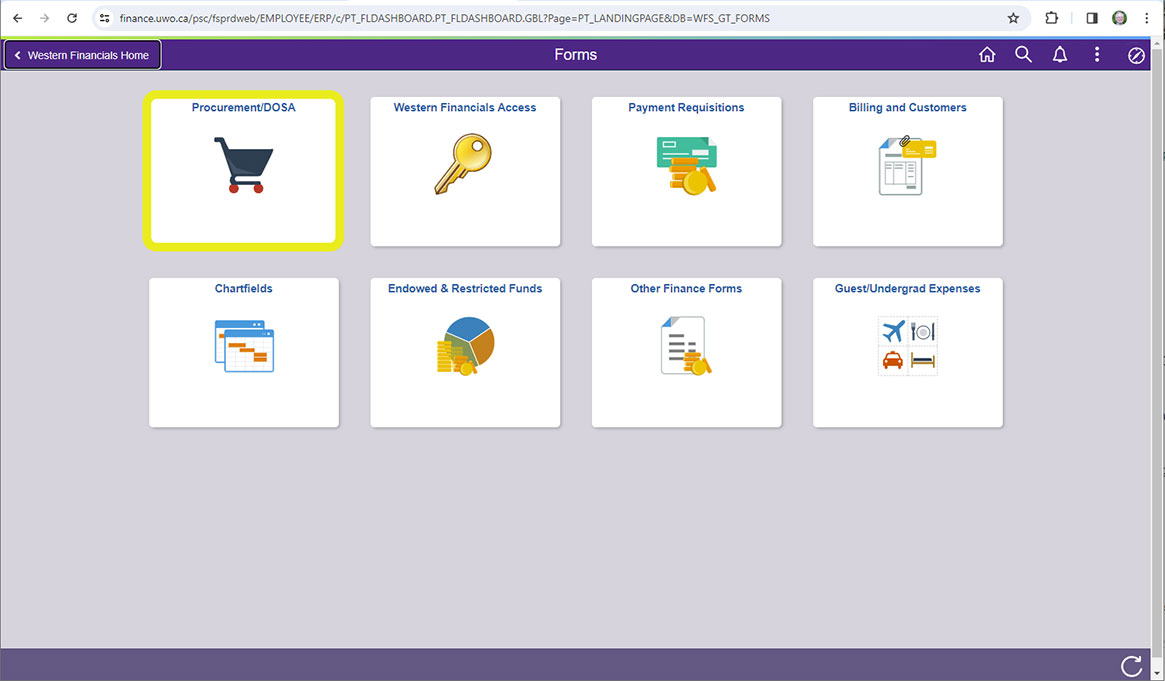
On the next page click on "Procurement/DOSA" icon.
Fill in the form and remember to send a copy to Debb Faulkner (dfaulkn@uwo.ca).
Travel Expense Claims
Travel Website – http://uwo.ca/finance/accounting/travel_expense_reimbursement.htm
- http://www.uwo.ca/finance/ - Finance home page – Financial Login can be found here
- http://uwo.ca/finance/forms/docs/corporate_accounting/attestation.pdf Attestation form to be used if missing/lost original receipts
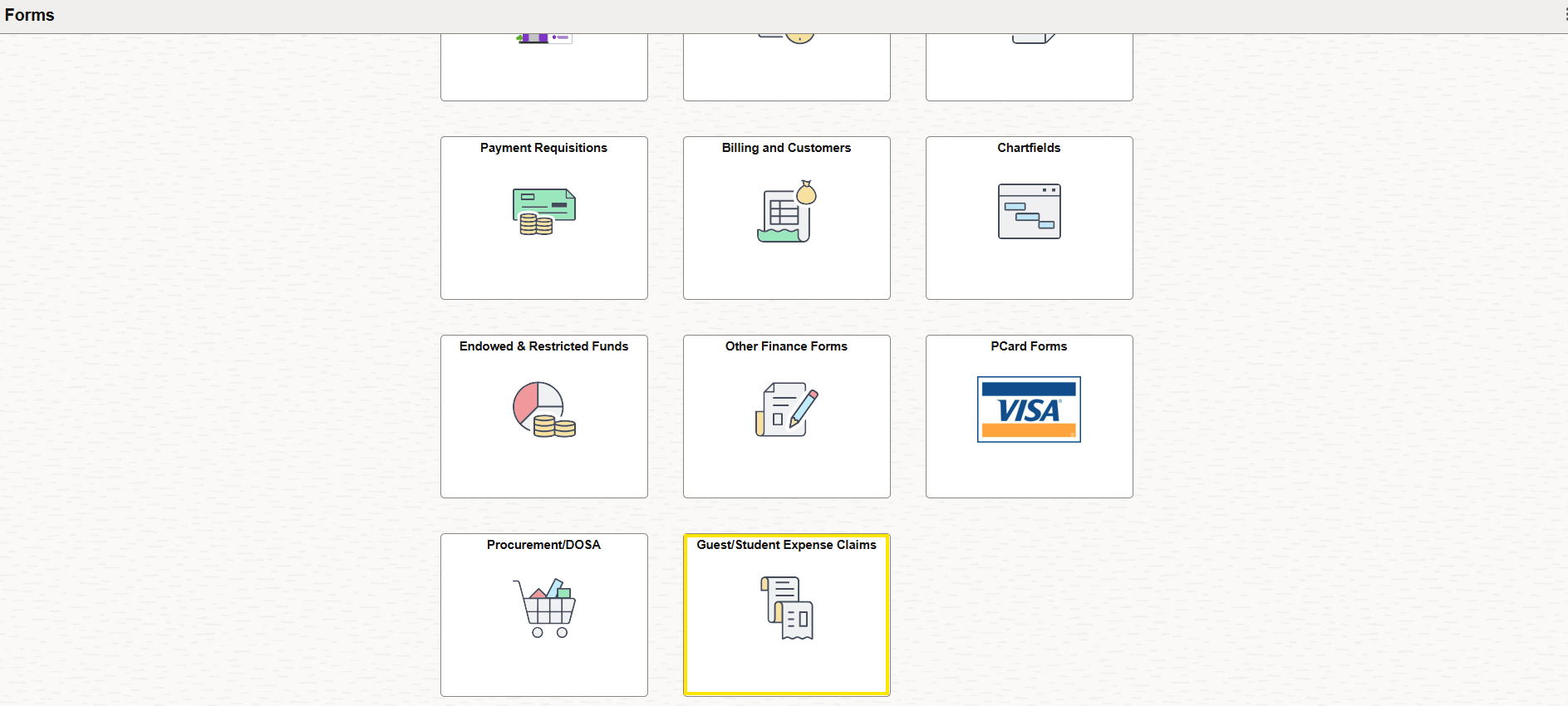
- A Western employee delegate may submit the electronic Guest/Student Expenses form in PeopleSoft and attach electronic receipts, which will expedite payment once fully approved.
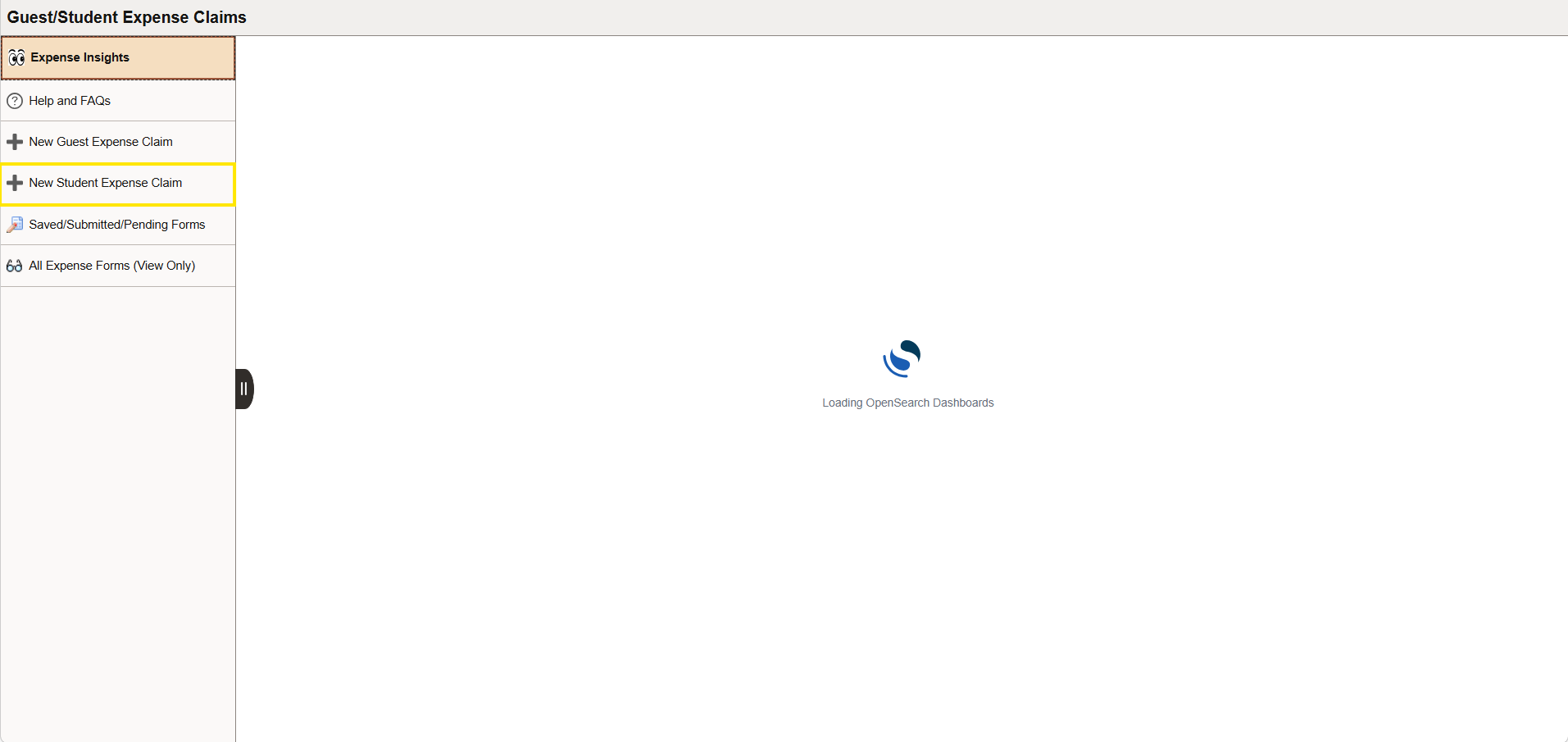
You will continue to access Student (and Guest) expense claim forms from the Guest/Student Expense Claims tile.
If you would like to intiiate a claim on behalf of a student, click New Student Expense Claim or for a guest choose New Guest Expense Claim in People Soft.